
Slow Billing
Create and manage invoices through a focused desktop workflow.
VKN Billing Software helps retailers, wholesalers and growing businesses manage billing, customers, products, purchases, inventory and day-to-day business records from one simple Windows application.
1-year license Software updates Guided setup & support
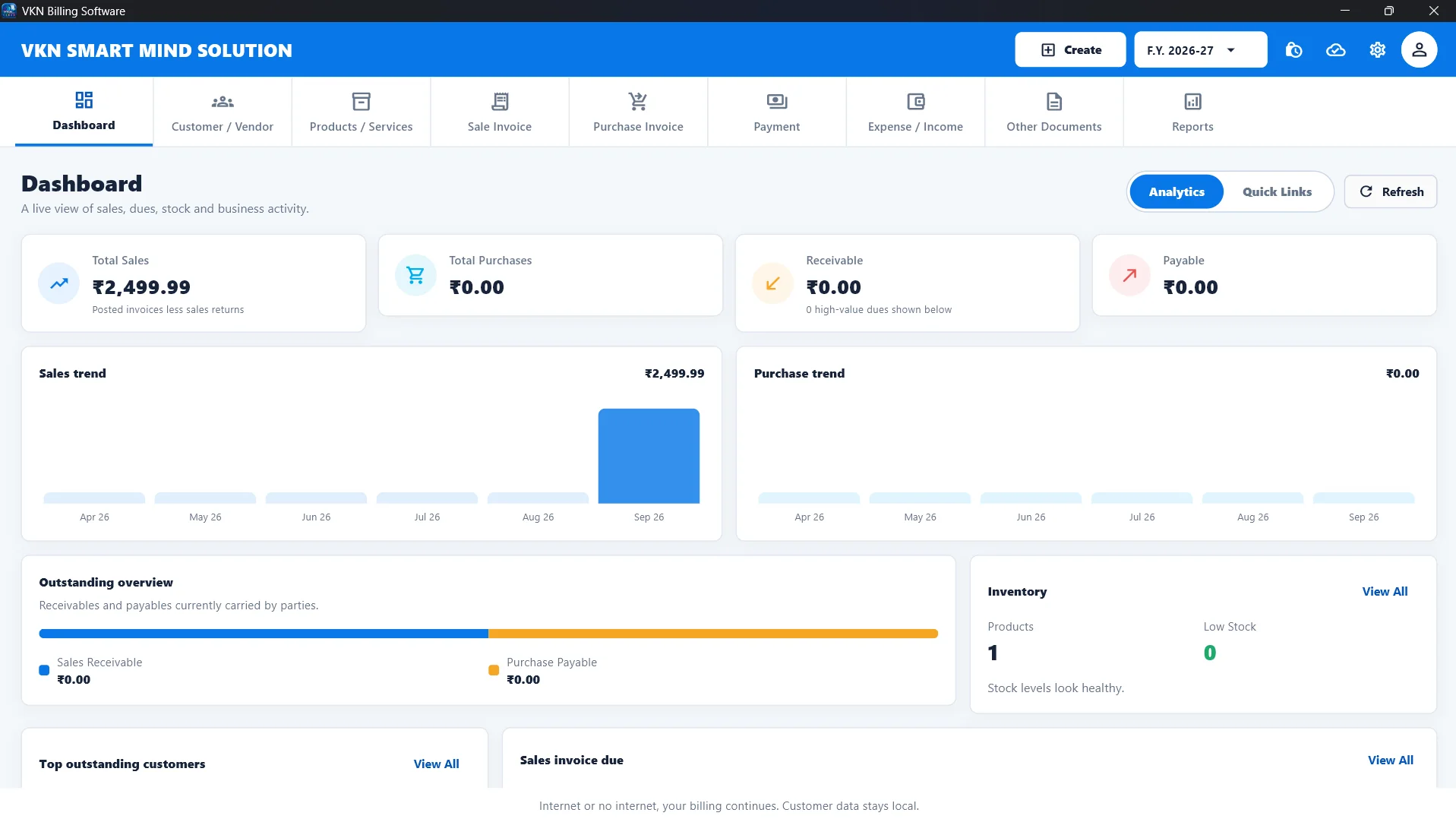
See the actual dashboard customers use after setup. Product screenshots shown on this page are taken from the current VKN Billing customer guide.
Review sales, purchases, receivables, payables, inventory and quick links from one central dashboard before moving into everyday billing.
View the interactive setup guide →VKN focuses on the core work a growing business needs to handle every day without unnecessary complexity.
Create and manage invoices through a focused desktop workflow.
Continue normal local day-to-day billing when internet connectivity is unavailable.
Keep product and stock records organised inside the same application.
Keep customer information available alongside your regular billing records.
Start with guided setup and keep common business workflows easier to find.
Create invoices, manage products and customers, track your business and keep billing even without a constant internet connection.
VKN Billing keeps normal day-to-day billing local, so a temporary internet issue does not have to stop routine billing work. Internet is still needed for the WhatsApp activation request and any optional online services you choose to use.
Discuss your setupUse your normal billing workflow and supported online actions.
Continue normal local day-to-day billing while offline.
Choose the closest business profile when creating your company so the setup and product fields match what you sell. Ask our team about your industry before you buy if you need a specific workflow.
Check your business setup →Published business profiles
Start with the verified Windows installer when a public release is available.
Add your business details and choose the closest business profile.
Add products, customers and the opening information you need.
Complete activation, sign in and begin normal billing.
We confirm your setup, license requirements and supported workflows before purchase.
Latest verified installer is currently unavailable for public download.
Download .exe ↓Get Installation HelpInstall only from this website. Check the setup guide before activation.
Reviews appear here after our team checks the purchase reference and confirms the customer agreed to publication.
See the latest published software improvements. The current installer remains controlled by the verified release state above.
Choose a step to preview the instructions and screen from our customer guide. Expand the guide only when you want the full walkthrough.
Loading setup guide…
Search published guides for setup, products, invoices, account access and other supported workflows.
Answers below are loaded from the current billing configuration, so the public page stays aligned with published product information.
Share what you sell, how you work and where you plan to install the software. Our team will confirm the suitable setup before you proceed.